

Podia alternative
A Podia alternative that builds
the course and the downloads for you.
Podia Mover costs $49 a month, which is $588 a year, plus 5% of every sale. You still write every lesson yourself.Knola drafts your course, slides, narrated video lessons, ebooks and sales page with AI.Pay once and your course stays online.
One paymentYour course stays online30-day money-back
Podia Mover · a year of bills
Every year$588
Knola Studio · your receipt
One payment
$197
Next bill: none
Your course stays online.
The short answer
Knola vs Podia in 30 seconds
If you only read one part of this page, read this.
- Knola is an AI course platform that you pay for once: $97 for Solo or $197 for Studio. Podia is a monthly subscription from $49 a month ($42 a month billed yearly), with a 5% transaction fee on Mover.
- Both give you course hosting, digital downloads, sales pages, funnels, checkout, upsells, quizzes and certificates. Podia is simple and well liked, but you make everything yourself. Knola drafts the whole course from your notes, turns each lesson into slides with a speaker script, narrates them into video lessons, and turns your lessons into ebooks and worksheets to sell.
- Choose Podia if you want email marketing, a community and your storefront in one simple monthly plan. Choose Knola if you want the course and the downloads built for you, or if you like building your own and just want to host and sell it without a monthly bill.
Knola vs Podia, side by side
Start with what each one costs. Then see what each one does.
| Cost | Knola | Podia |
|---|---|---|
| How you pay | KnolaOne payment. Solo $97, Studio $197. | PodiaEvery month. From $49/mo, or $42/mo billed yearly. |
| Keeping your course online | KnolaPay once and your course stays online. No monthly fee to keep it there. | PodiaStop paying your monthly bill to Podia and your site goes offline. Your customers lose access to what they bought. Podia’s help centre |
| Fees on your sales | Knola0% with your own checkout. 7.5% on Knola checkout, or 0% on Knola Pro ($37/mo). | Podia5% on Mover. No Podia fee on Shaker or Earthquaker. |
| Making the course | KnolaAI drafts the lessons, slides, narrated videos and ebooks from your notes. | PodiaYou write, record and upload each lesson yourself. |
Podia prices and fees are from Podia’s own pages, checked 24 Sept 2026. See every Podia plan.
What you get
Everything a course business needs, and what each platform includes.
| Feature | Knola | Podia |
|---|---|---|
| Create your course | ||
| AI course outline | ||
| AI writes every lesson | ||
| AI slides with a speaker script | ||
| Narrated video lessons, nothing to record | ||
| Narration in your own voice | ||
| AI ebooks, worksheets and checklists | ||
| Video hosting | ||
| Sell your course | ||
| No monthly fee | ||
| Sell ebooks and digital downloads | ||
| AI-written sales pages | ||
| Sales funnels | ||
| Checkout | ||
| Order bumps and upsells | Upsells on Shaker plan and up | |
| Coupons and payment plans | ||
| Teach your students | ||
| Quizzes | ||
| Completion certificates | ||
| Drip lessons | ||
| Student progress tracking | ||
| Included in full | 18 of 18 | 9 of 18 |
IncludedLimited or higher plans onlyNot included
From Podia’s public product and pricing pages, checked 24 Sept 2026. Tell us if something changes.
Podia pricing in 2026: what you actually pay
Podia has three plans and no free plan. All of them bill every month or every year for as long as your site is online. Prices in US dollars, from Podia’s own pricing page.
Podia Mover
$49 /month
$42/month billed yearly · $588 a year monthly
50 products · 500 videos · 100 email subscribers · 5% fee
Podia Shaker
$99 /month
$84/month billed yearly · $1,188 a year monthly
150 products · 1,000 videos · 500 email subscribers
Podia Earthquaker
$179 /month
$150/month billed yearly · $2,148 a year monthly
Unlimited products and videos · 1,000 email subscribers
- Mover adds a 5% Podia transaction fee on every sale. Shaker and Earthquaker have no Podia fee. Card processing (Stripe or PayPal) is 2.9% + 30¢ on top.
- Email is included up to 100 subscribers on Mover, 500 on Shaker and 1,000 on Earthquaker. A bigger list costs extra each month.
- Upsells, affiliate marketing and PayPal need Shaker or Earthquaker.
- Checked 24 Sept 2026 on Podia pricing.
What Podia costs you, against Knola
Move the sliders to match your business. Knola’s own fees are included.
Podia Mover
$49 a month + 5% of sales
$1,776
Knola Studio
One payment, your own checkout (0% to Knola)
$197
Knola Studio + Pro
One payment + $37 a month, 0% platform fee
$1,085
Over 24 months, Knola costs you $1,579 less than Podia Mover.
Illustration using public prices checked 24 Sept 2026. Card processing (about 2.9%) applies on every platform and is not included. Per-sale fees assume a $100 average order. Knola prices are today’s prices.
From an idea to a course that sells
This is the work you would do by hand on Podia, or record yourself. On Knola, you bring the knowledge and review each step.
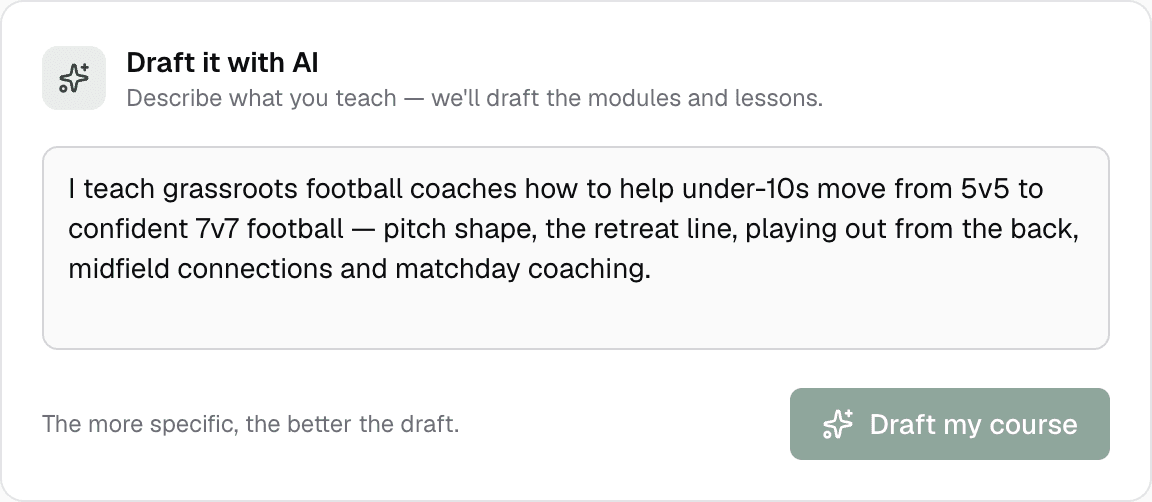
01
Describe what you teach
Type a few lines, or upload your notes, PDFs or videos. Knola drafts the outline and every lesson.
How the AI course builder works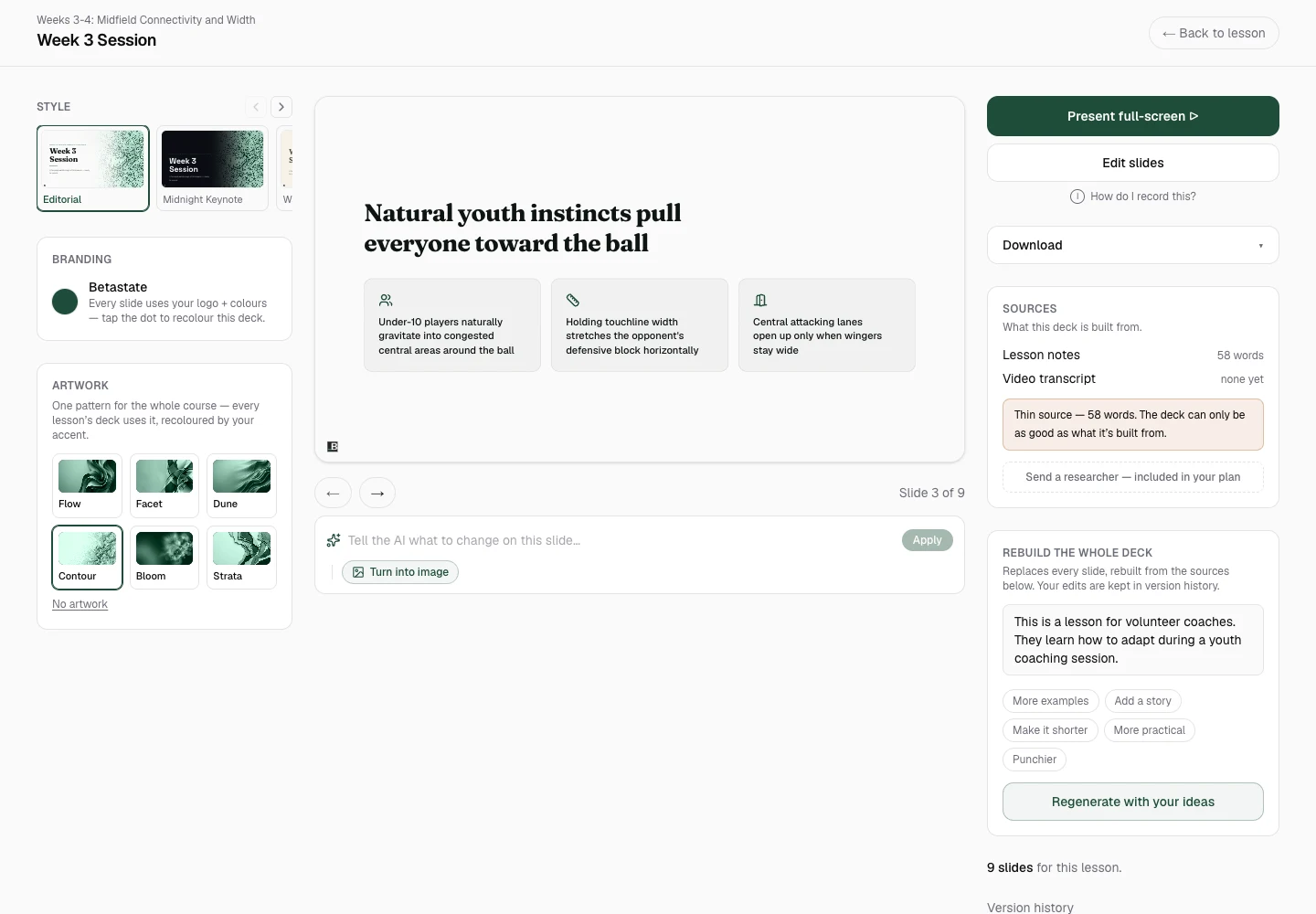
02
Turn a lesson into slides
One click makes a branded deck with a speaker script for every slide.
See the AI presentation maker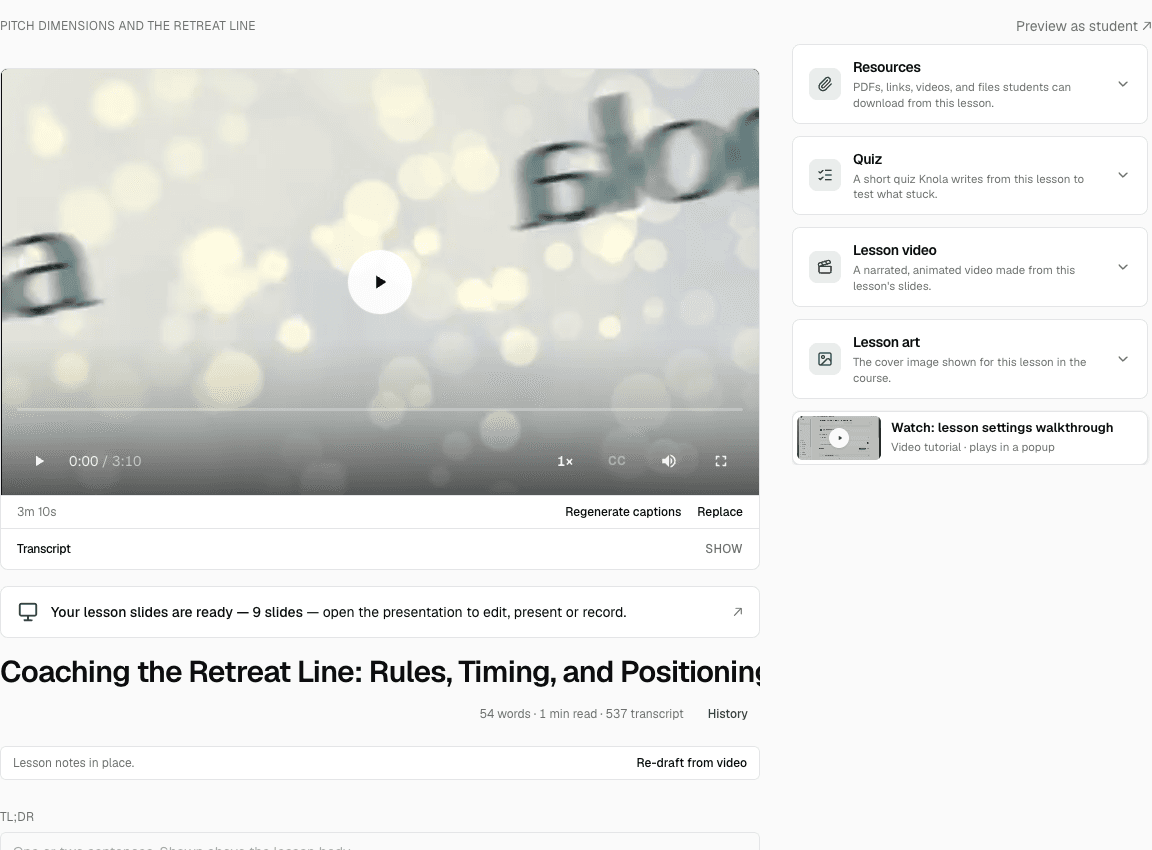
03
Let Knola narrate the video
Review the narration, hear a preview, then Knola makes the video lesson. Nobody records anything.
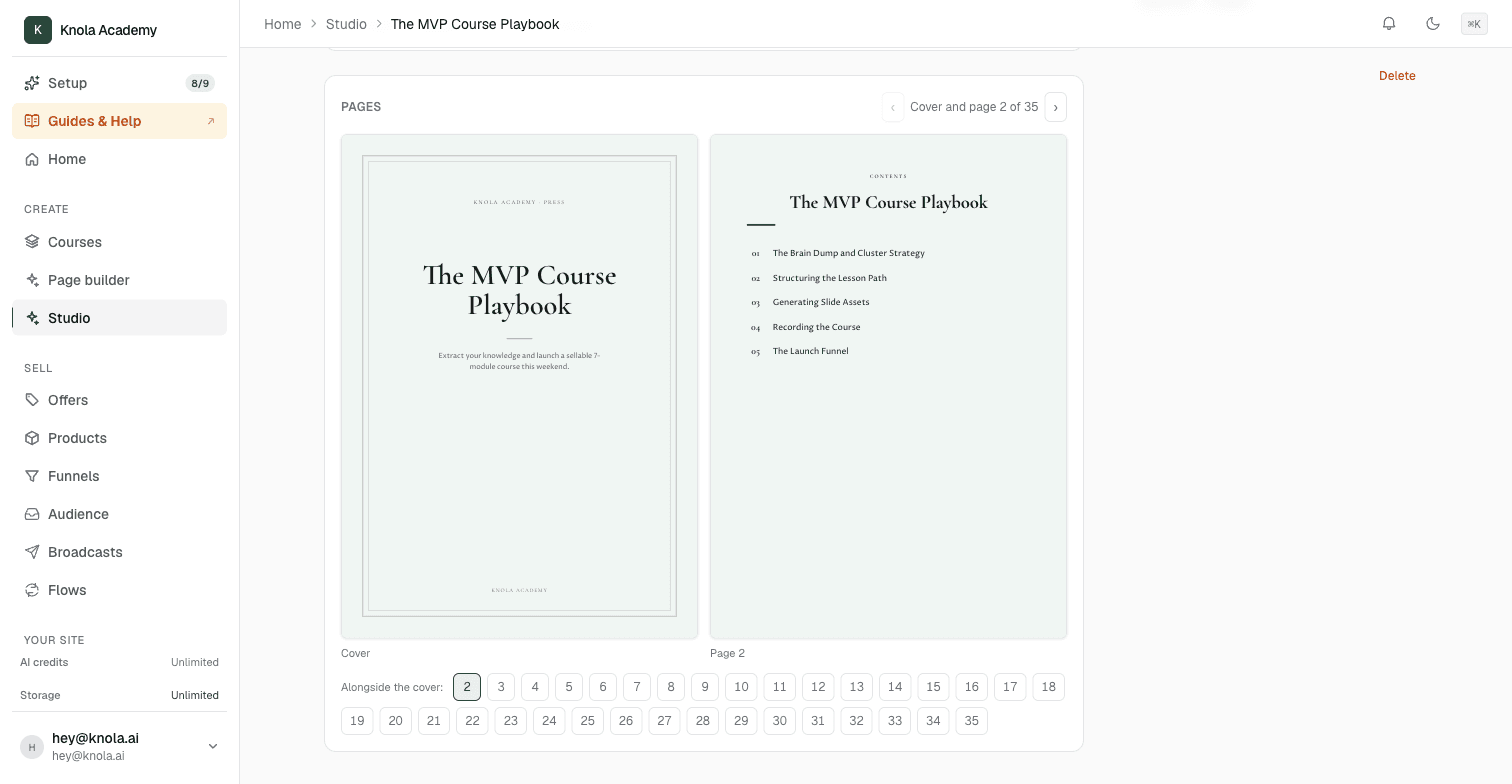
04
Turn lessons into ebooks
Make an ebook, worksheet or checklist from your lessons. Sell it on its own, or add it to the course.
See the AI ebook creator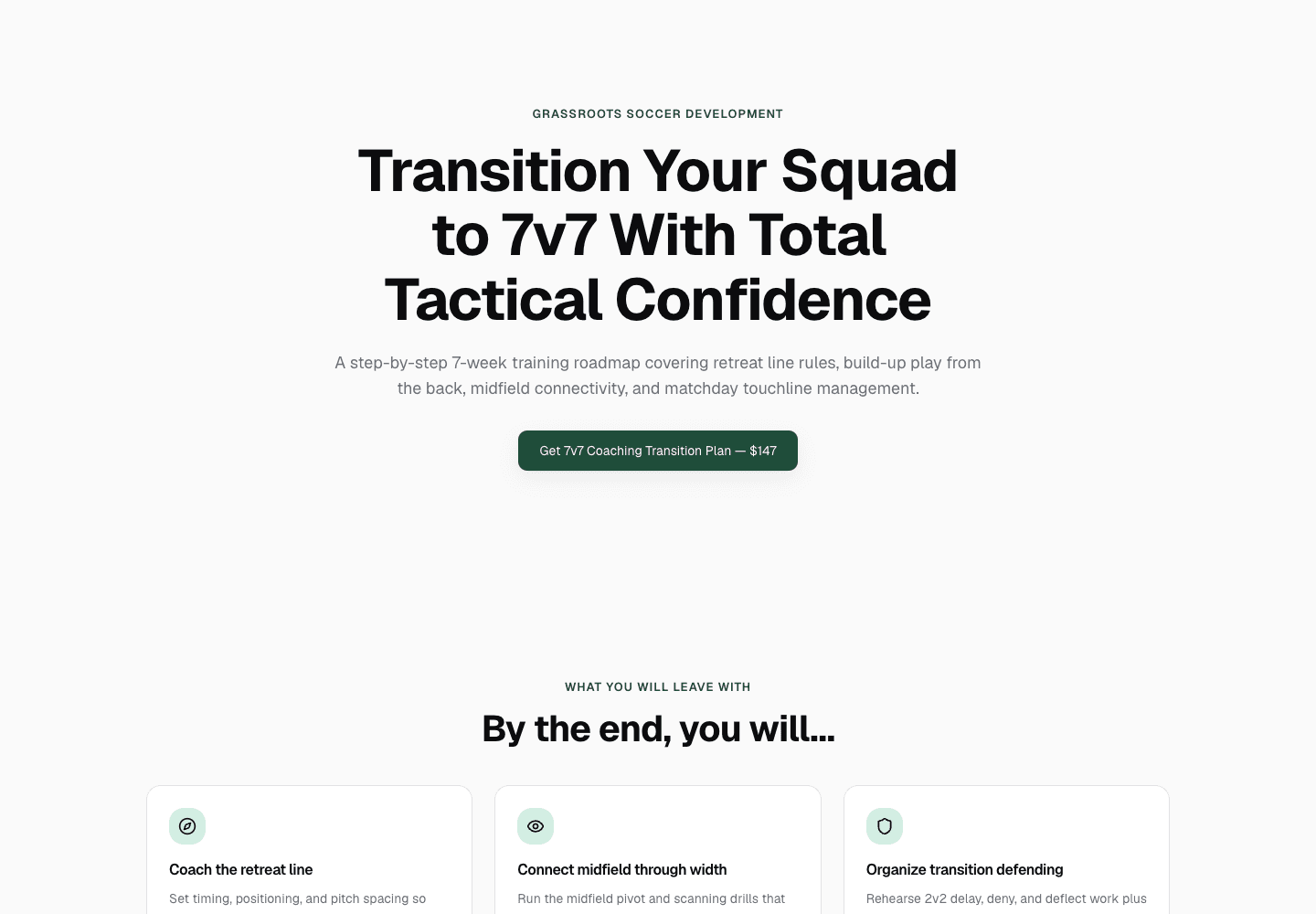
05
Get your sales page written
AI writes the sales page from your actual course. Rewrite any section in one click.
See the AI sales page builder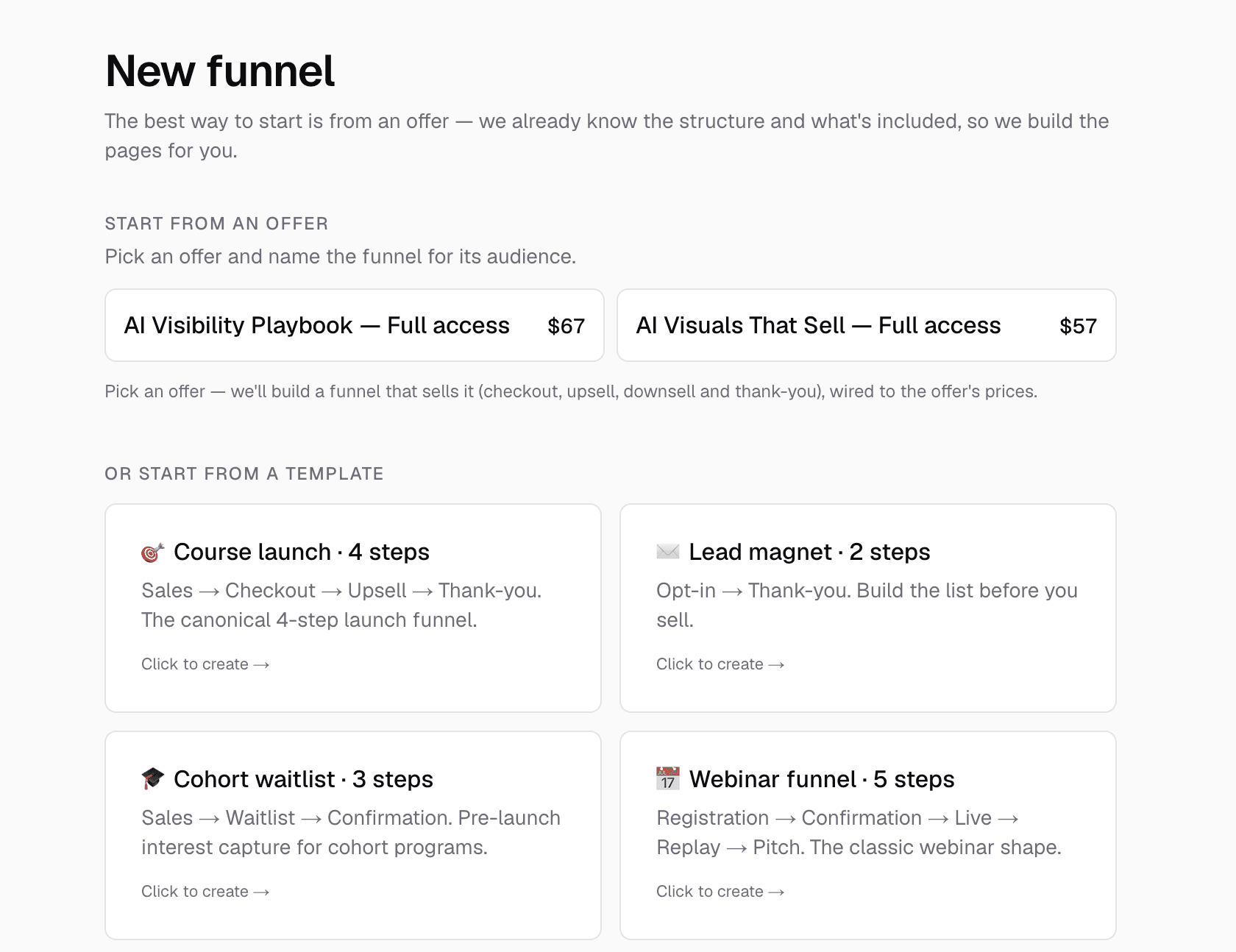
06
Build the funnel
Join your pages, checkout and follow-up offers into one buying journey.
Explore course sales funnels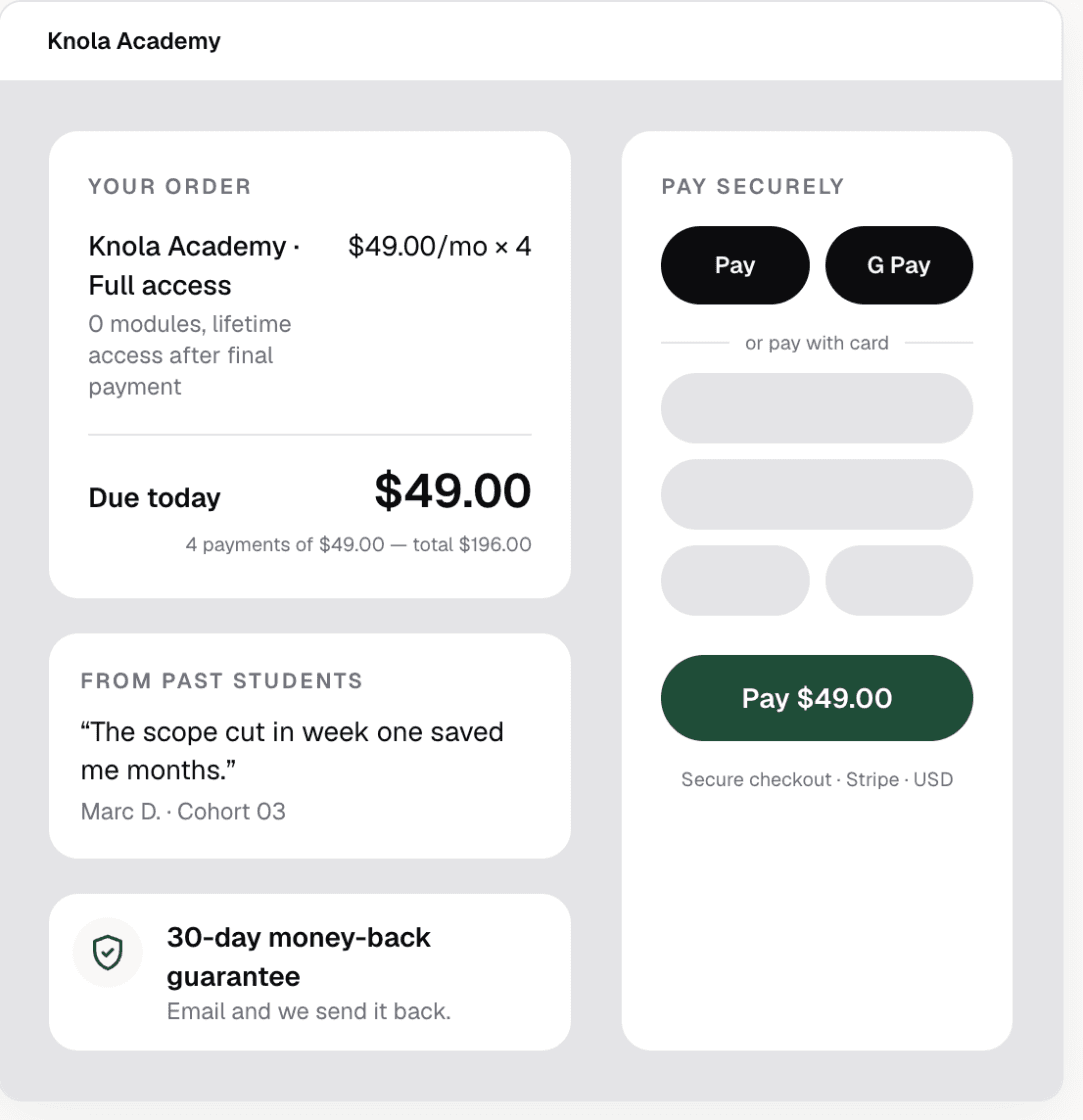
07
Take payments
A checkout with order bumps, upsells, coupons and payment plans. Buyers get access straight away.
How Knola checkout works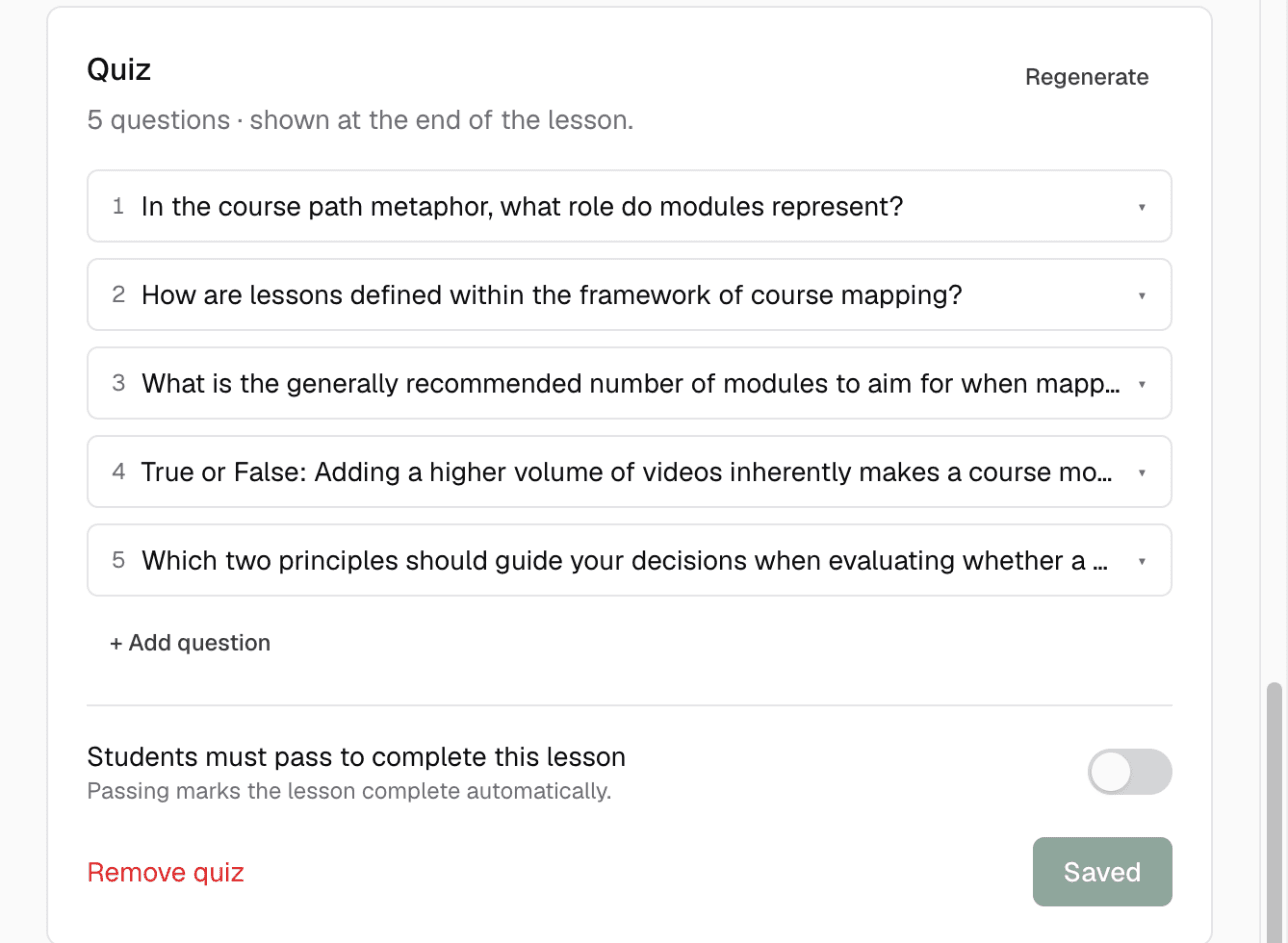
08
Check what stuck
Knola writes quiz questions from each lesson. Students finish with a certificate.
See quizzes and certificates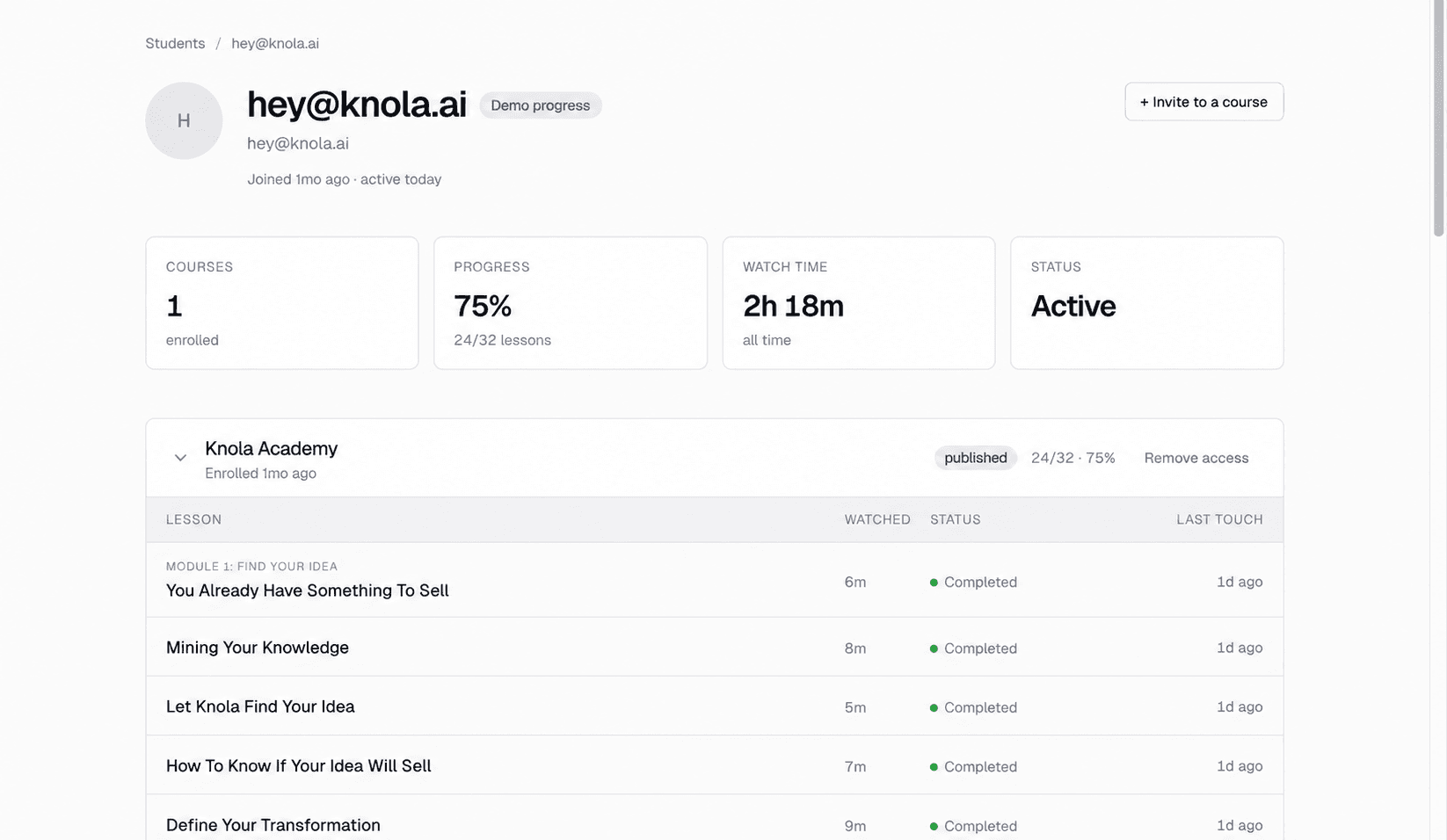
09
Follow every student
See who is watching, how far each student got and who has finished.
Explore student analytics
The AI is optional
Already made your course? Just host it on Knola.
The AI is there when you want it, never required. Bring the course you built, arrange it your way and sell it, for the same one-time fee, with no monthly Podia bill.
- Upload your own videos, PDFs and files
- Write and arrange every lesson yourself in the editor
- Add quizzes, certificates and drip release
- Sell it with a checkout, order bumps and upsells
- Pay once and your course stays online.
Nothing missing
Everything you’d expect from Podia is here too.
Moving to Knola does not mean giving up the basics.
- Course hosting and brandingYour school, with your logo and colours.Included
- Ebooks and digital downloadsSell them on their own, or bundle them with a course.Included
- Video lessons with transcriptsHosted video, captions and clickable transcripts.Included
- Quizzes and certificatesGraded quizzes and completion certificates.Included
- AI sales pagesWritten from your course, edited by you.Included
- Sales funnelsPages, checkout and follow-up offers, joined up.Included
- Checkout, bumps and upsellsPlus coupons and payment plans, on every licence.Included
- Student progressSee who is stuck and who has finished.Included
- Sales and funnel analyticsRevenue, conversions and the offers that earn.Included
Stay with Podia if…
- you want email marketing, a community and your storefront together in one place,
- you like one simple all-in-one tool, and you are happy to build each lesson yourself,
- you are happy to pay every month for that simplicity.
If you would rather have the course built for you and stop paying every month, Knola is the better fit.
Knola is built for you
Join other creators building & selling courses
People just like you turning what they know into a sellable course they own with Knola.
“I believe Knola is the future platform of online education: powerful, intelligent, accessible, and created with both the teacher and the learner in mind.”

Joy Hauʻoli Sutherland
Co-Founder of LVH Brands
“What I love most about Knola is how easy it makes the course-creation process, but even more importantly, the support. When I have a question or need help figuring something out, I feel like there are real people who want to help, not just a support ticket system.”

Lori Kantor
Universal Educational Services“What sold me wasn’t just the platform, it was the people. I asked a question expecting to wait days and got a real, helpful answer within the hour. You can tell Knola is built by people who actually want you to succeed, not just take your money.”

Sophie Richards
PeaceLoveSerenity
“I’d been sitting on my course idea for nearly two years, convinced I’d get around to it one day. I’d written a couple of books before but never sold an online course. I came across the Knola offer and my experience so far has been great. I wish I had found it sooner.”

Richard A
Business Owner
Moving from Podia takes an afternoon.
Most of the work is done for you.
- 1
Download your files
Export your videos, PDFs, downloads and lesson text from Podia before you cancel.
- 2
Upload them to Knola
Knola transcribes each video and drafts the lesson text around it. You can also bulk-upload lessons.
- 3
Rebuild the sales page with AI
Knola writes a new sales page from your course. Adjust it, then add your checkout.
- 4
Bring your students with you
Export your customer list from Podia and paste the emails into Knola. Knola enrols every student in your new course and emails each one an invite, in a couple of clicks.
Got a big course, or questions before you move?
Talk to us first. Tell us what you have on Podia and we will help you plan the move.
Our promise
Pay once and your course stays online.
No monthly fee to keep it there. That is the whole deal.
- One paymentSolo $97 or Studio $197. No monthly bill, whether you sell or not.
- Your course stays onlineWe don’t take courses down from people who paid for a licence.
- Your work is never locked inExport your content as PDF, HTML or Markdown at any time.
- 30-day money-back guaranteeIf Knola is not for you, tell us within 30 days and we refund every penny.
Questions about Knola and Podia
Does Podia have a free plan?
No. Podia has a 14-day free trial, then you need a paid plan. Mover, Shaker and Earthquaker all bill every month or every year.
Does Podia charge transaction fees?
On Mover, Podia takes 5% of every sale. Shaker and Earthquaker have no Podia fee. Stripe or PayPal also charge their own card fees on every plan.
Is there a cheaper alternative to Podia?
Yes. Knola is a one-time payment: $97 for Solo or $197 for Studio, with no monthly fee to keep your course online. That costs less than 5 months of Podia Mover.
Does Podia use AI to create courses?
Podia’s feature pages do not list AI tools for outlines, lessons, slides or video. You build each lesson yourself. Knola drafts the course from your notes, makes slides with a speaker script, and narrates them into video lessons in an AI voice or your own.
What happens to my course if I stop paying Podia?
Podia’s help centre says your site goes offline straight away, and customers can no longer access the content they bought. It recommends exporting your files before you cancel. On Knola there is nothing to stop paying: pay once and your course stays online.
Can I sell ebooks and downloads, not just courses?
Yes. Knola is not only for video courses. Turn your lessons into ebooks, worksheets and checklists with AI, or upload your own files, then sell them on their own, as an order bump, or bundled with a course. Buyers get their download straight after checkout.
Can I move my Podia course to Knola?
Yes. Download your videos and files from Podia and upload them to Knola, and Knola transcribes the videos and drafts the lessons. Then paste in your customer list: Knola enrols every student and emails them an invite. Got a big course? Get in touch through our help page and we will help you plan the move.
Does Knola do email marketing like Podia?
Not yet, but this is on the way and in the final stages of testing.
Do I have to use Knola’s AI?
No. The AI is there when you want it, never required. If you have already made your course, upload your videos, PDFs and files, write and arrange the lessons yourself, add quizzes and certificates, and sell it with Knola’s checkout. It is the same one-time licence, with no monthly Podia bill: pay once and your course stays online.
Other Podia alternatives worth knowing
Knola is our answer, but it is not the only one. Here is where the others fit.
Knola
One payment. AI builds the course, slides, narrated video lessons, ebooks and sales page.
LearnWorlds
Strong AI course tools, SCORM and interactive video. Starter adds $5 on every paid enrolment.
Knola vs LearnWorldsKajabi
Courses, email and community in one bigger monthly plan, from $179 a month.
Knola vs KajabiThinkific
A strong course builder for teams and group sales. Monthly plans, with an AI tutor only on its enterprise plan.
Knola vs ThinkificTeachable
Popular for selling courses with a mobile student app. Starter adds a 7.5% fee on every sale.
Knola vs TeachableStan Store
A link-in-bio store for selling from social media. Fine for small products, light for full courses.
Knola vs Stan Store
Pay once. Let Knola build it.
Bring what you know. Knola builds the course, the slides, the video lessons, the ebooks and the sales page around it.