

Sell
Give away a free download in return for an email address
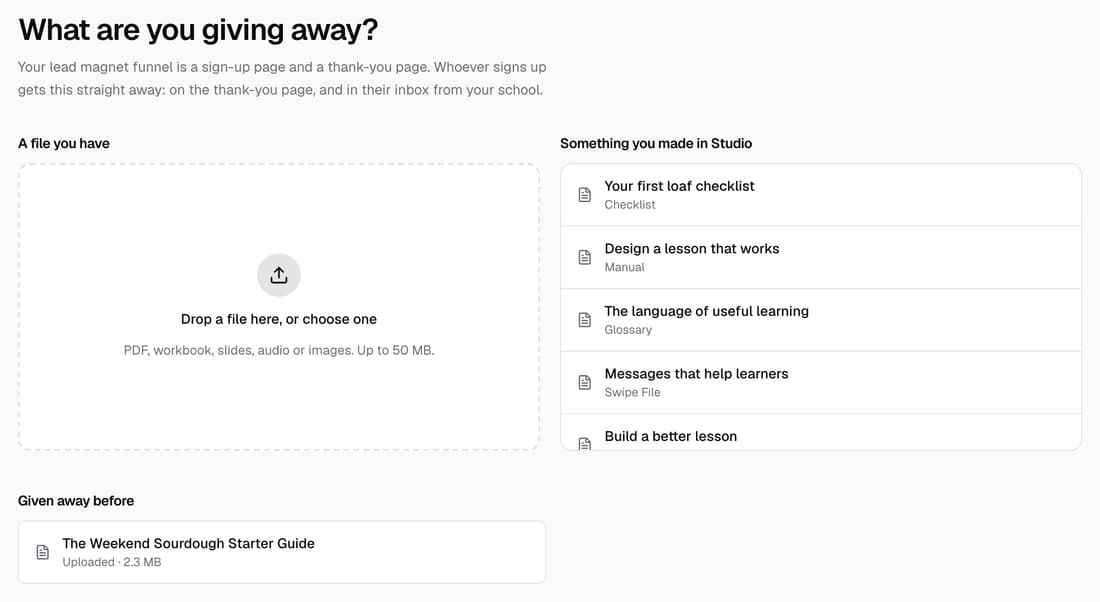
Upload a file or pick a Studio document, and everyone who signs up gets it straight away, on the page and by email from your school. Add a thank-you page and it becomes a two-step funnel that doesn't count towards your plan's funnel limit.
What’s changed
Before, a free download needed a lead magnet funnel built by hand. Now any page can give something away, and the same giveaway works from Page builder, Funnels and Studio.
Who gets itSchools with a licence or Pro
How it works
- In Page builder, click New page, then choose Give something away.
- Drop in a file you have, or pick something you made in Studio.
- Pick a look, check the words, then publish the page.
- To change the email or what happens next, open Settings in the page editor.
- Under After they sign up, choose Show it right here or Take them to a thank-you page.
Good to know
- Files can be a PDF, workbook, slides, audio or images, up to 50 MB. They count towards your plan's storage.
- A Studio document is turned into a PDF for you.
- Download links already sent keep working, even if you change the giveaway later.
- Add a third step to a giveaway's funnel and it becomes a full funnel, which does count towards your limit.