

Platform
Bring your team into your school
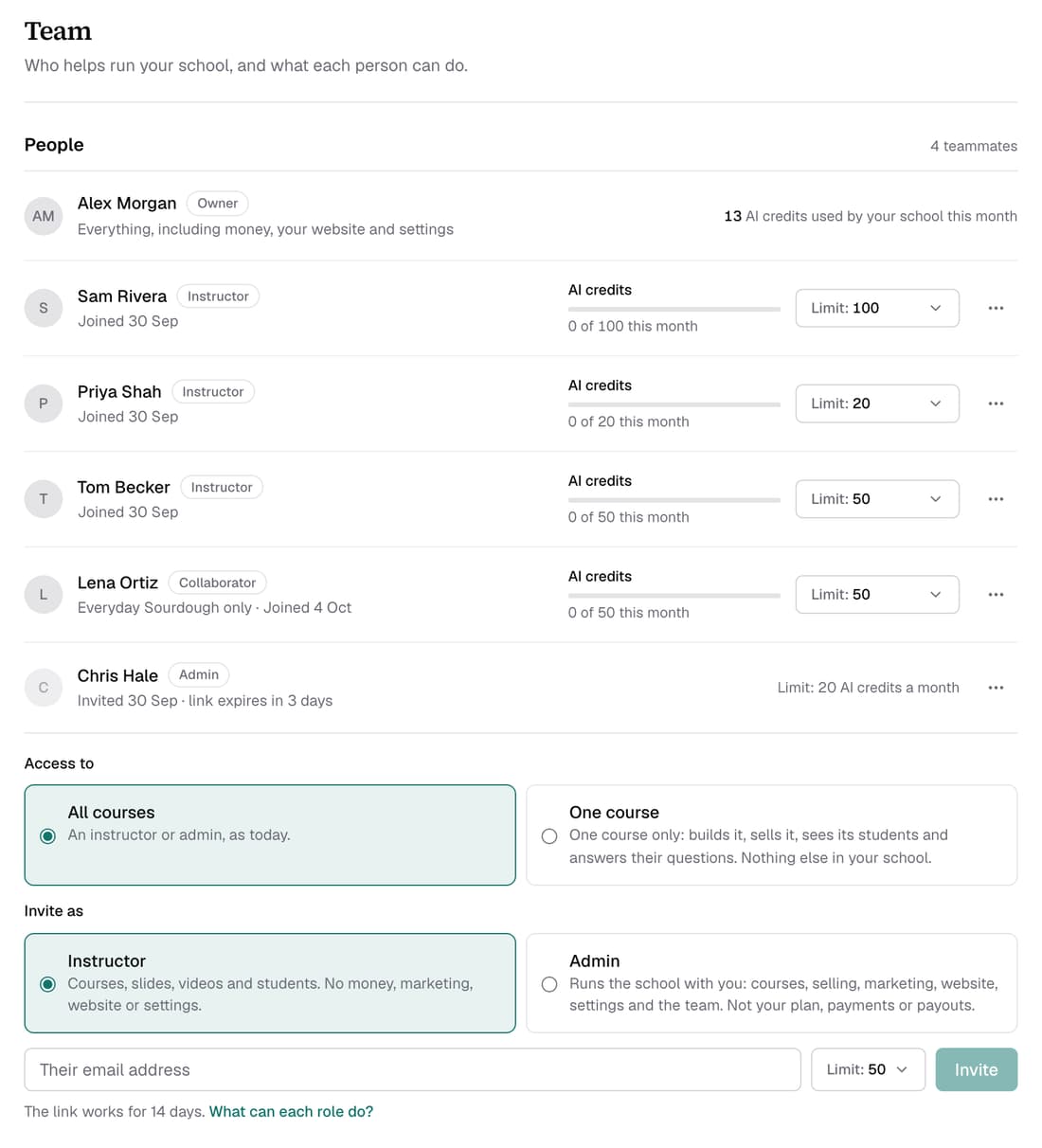
Invite teammates as an Admin or an Instructor, each with their own login, and give each one a monthly limit on AI credits. Teammates come with Pro, as many as you like, at no extra cost. If your school leaves Pro, their access is paused, not deleted.
What’s changed
Before, only the owner could sign in to run a school. Now you can invite teammates, and each one sees only what their role allows.
Who gets itPro schools
How it works
- Open Settings ▸ Team.
- Under Invite as, choose Instructor or Admin.
- Type their email address, set their monthly AI credit Limit, then click Invite.
- They get an email with a link that works for 14 days.
- Change a limit any time, or use the ⋯ menu to change a role or remove someone.
Good to know
- An Instructor works on courses, slides, videos and students. An Admin also runs selling, marketing, your website and settings. Only you see your plan, payments and payouts.
- Teammates spend your school's credits, up to the limit you set. A new instructor starts at 50 a month; choose No limit if you'd rather.
- When a teammate reaches their limit, you get one email about it that month.
- If the invitation email doesn't arrive, use Copy link and send it yourself.