

Platform
Track new features and fixes on our public changelog
Visit knola.ai/shipped to see the latest improvements to Knola in one place. Filter updates by category to find what matters to your school, or subscribe via RSS to stay in the loop.
What’s new in Knola
Every change we make to Knola, newest first. Unless an entry says otherwise, it’s already live for every school.
47 since the log began on 11 Sep 2026 · 28 features, 19 smaller fixes
Updates per week, last 12 weeks
Follow along: RSS · JSON Feed · Markdown for AI tools
14 updates · 8 smaller fixes
Visit knola.ai/shipped to see the latest improvements to Knola in one place. Filter updates by category to find what matters to your school, or subscribe via RSS to stay in the loop.
Drop a PDF of your slides on a lesson and each page becomes a slide, exactly as you designed it. In our test a 41-page deck was ready in about 20 seconds, with no AI and no credits used. Students page through it in the slide viewer, on a phone too.
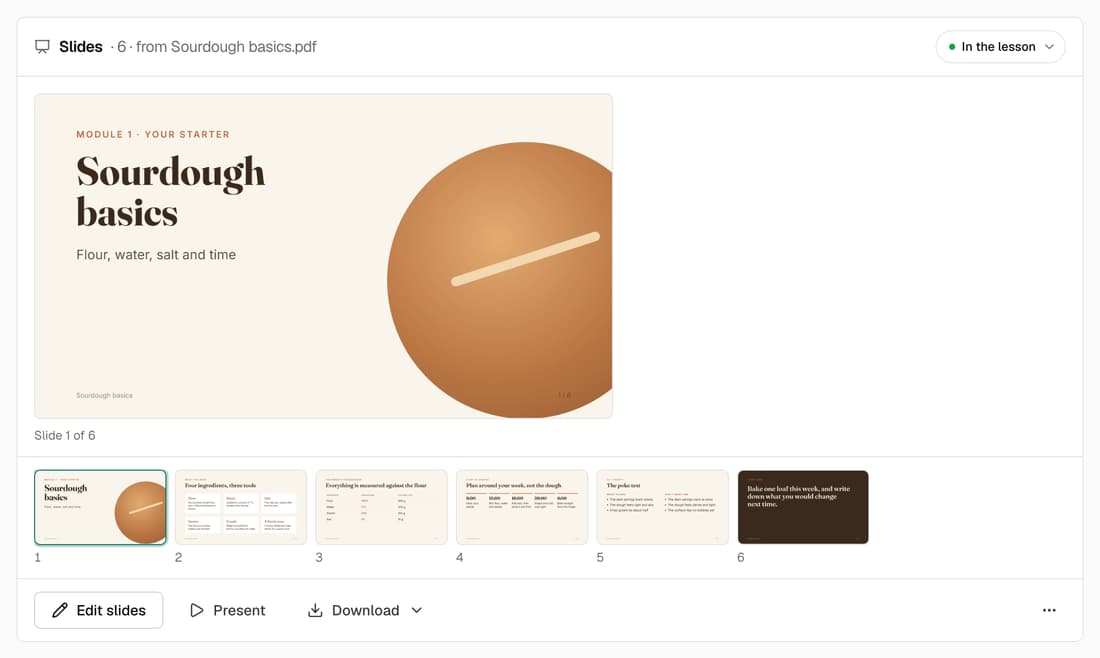
Paste a link and it becomes the video students watch first, with its title and thumbnail shown so you know it's the right one. To put a player inside the lesson text, type /video or paste the link on a line of its own.
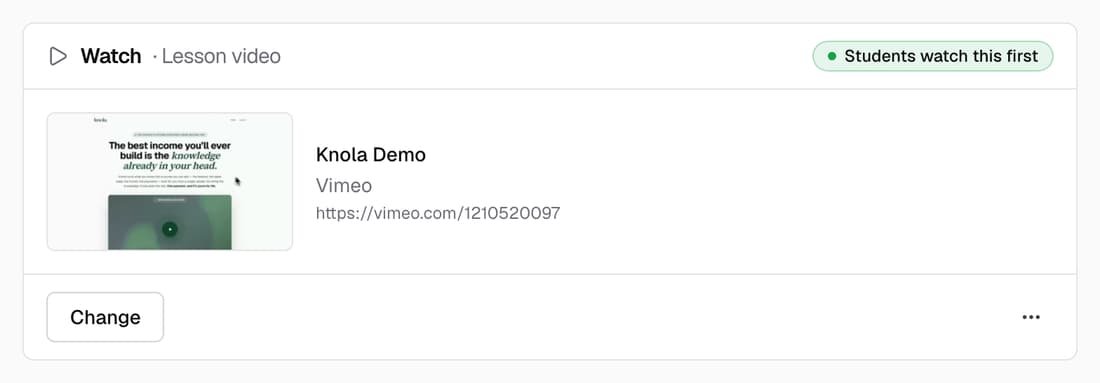
The new slide editor is now on for every school. Layouts, Improve with AI and the words you'll say sit next to the slide you're working on. Anything that costs credits shows its price and your balance before you click. Every existing presentation opens in it.
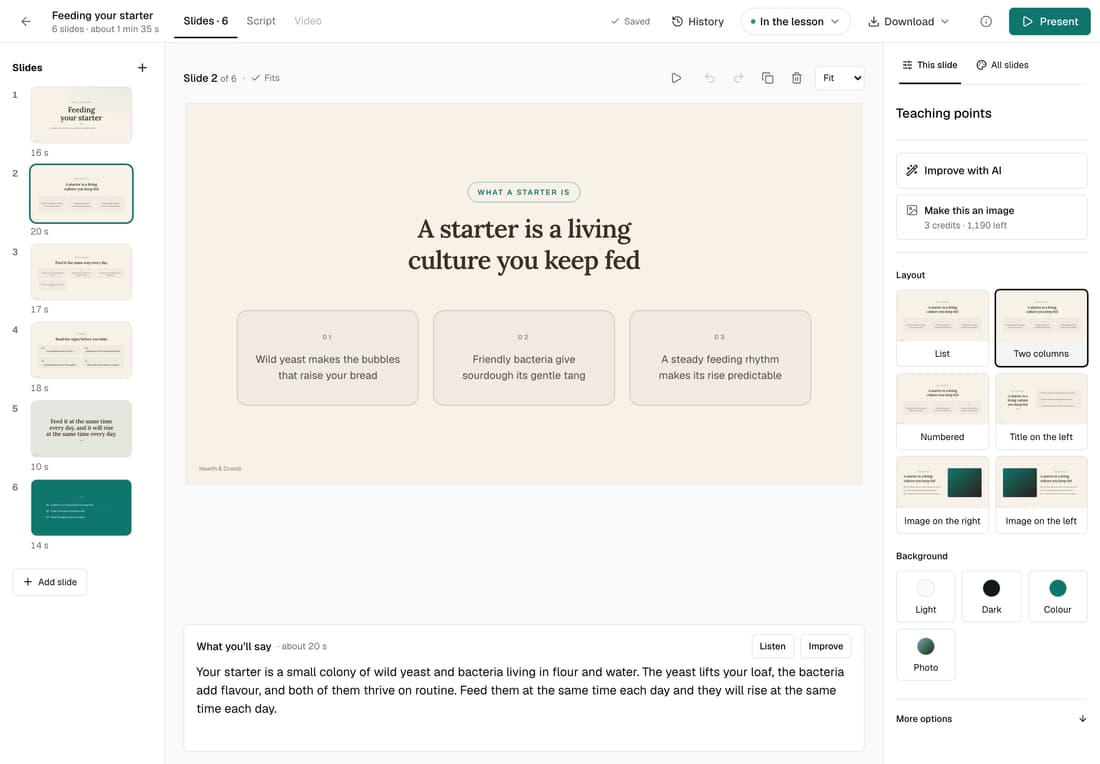
The top of every lesson page now shows what students get: Watch, Slides, Read, Quiz and Resources. Below that, the lesson is laid out in the order students meet it, and each part has its own buttons, from Paste a link to Write it with Knola.
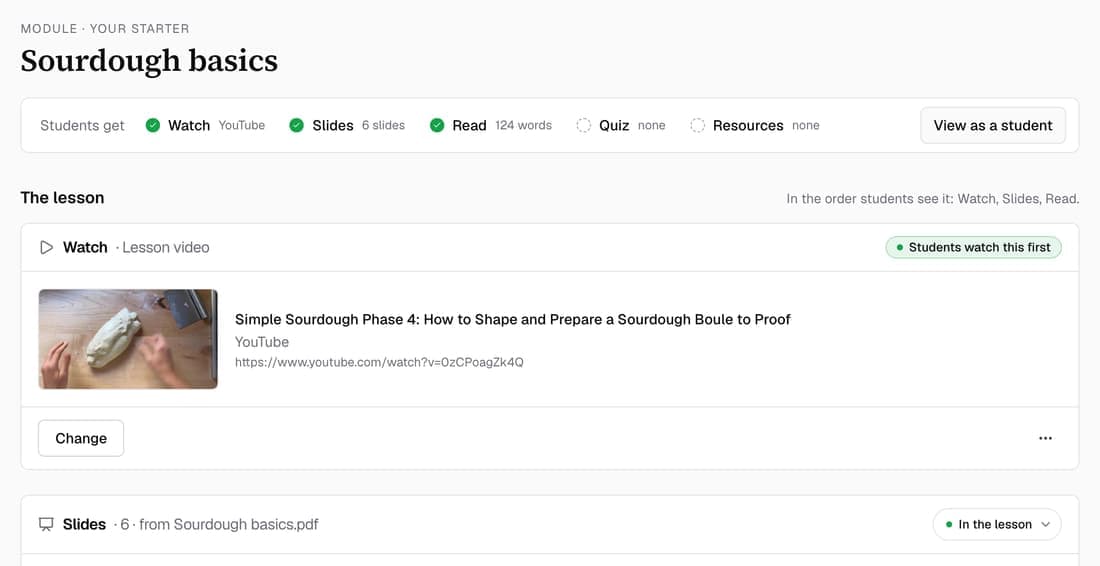
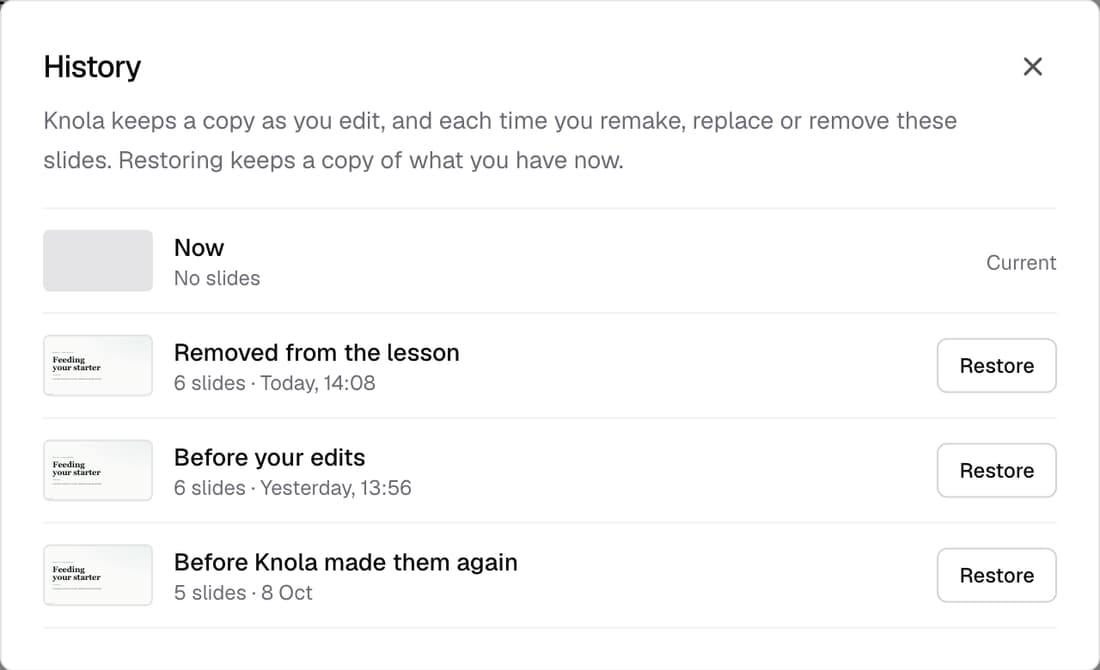
Removing a lesson's slides now keeps a copy. Press Undo straight away, or Bring back later from the lesson page. History shows each earlier version with its first slide and a plain label such as “Before your edits”, so you can restore the one you want.
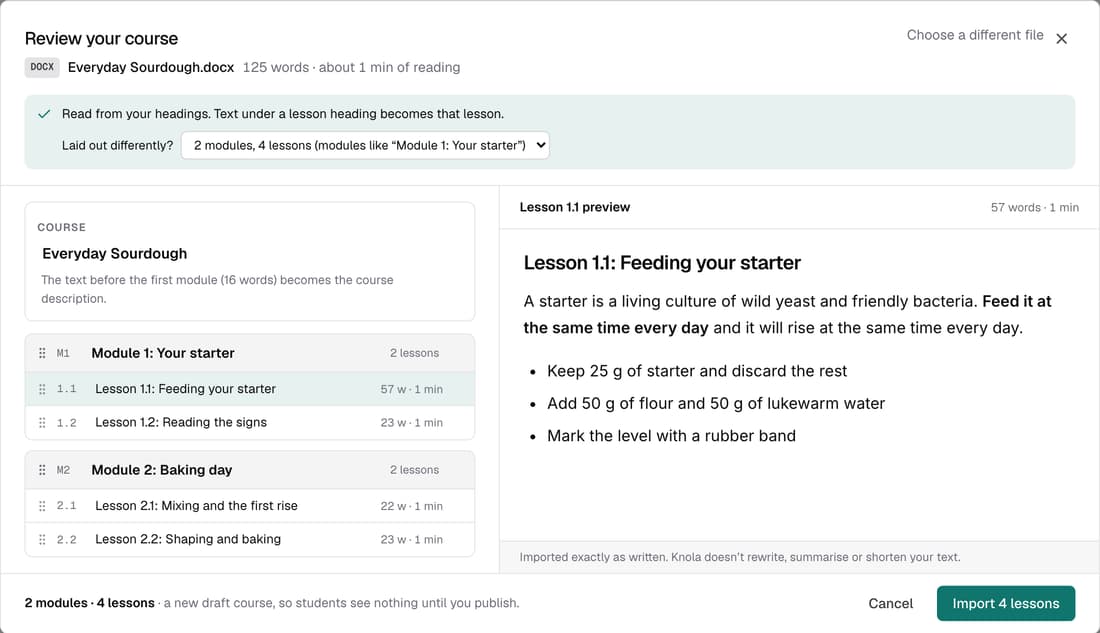
Bring a course you've already written and Knola reads its headings to set out the modules and lessons, word for word. Check the structure, rename or leave out lessons, then import. No AI, no credits, and the course stays a draft until you publish it.
You used to wait for a finished video to be prepared for streaming before you could watch it, sometimes 15 minutes or more. Now it plays as soon as it's made, while the versions that play smoothly on any phone finish in the background. You can publish once those are ready.
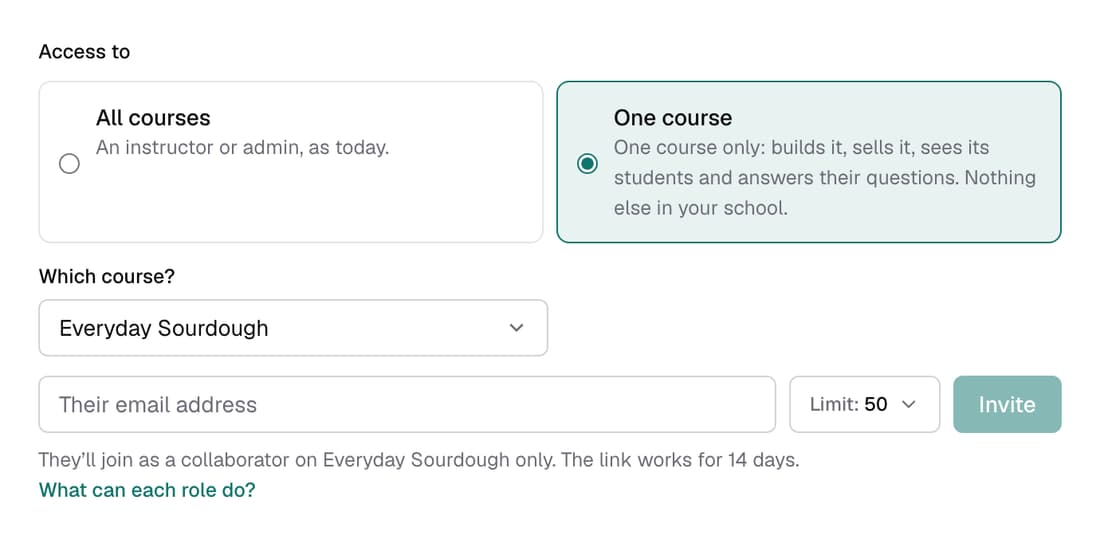
A collaborator can build their course, see its students, answer their questions and sell it with their own offers and pages. They can't see your other courses, your other students or the rest of your revenue. Invite them from Settings ▸ Team and choose One course.
When you make slides from a lesson you wrote or imported, Knola now asks whose words to use. Choose Keep my words and everything on the slides and in the script comes from your lesson: headings become slides, bullet points go on screen and paragraphs become what's said. Knola still handles the layout, icons and photos.
The tutor used to learn only from uploaded video transcripts, so a course built from written lessons or AI videos often got “This course doesn't cover that yet”. It now reads your written lessons, your video narration and attached documents. If it still has nothing to learn from, the tutor card tells you what to add.
Labs lists features we're still building that you can switch on for your own school. The first one connects an AI app you already use, such as Claude or ChatGPT, so it can build and edit your courses, slides and pages. Switching it off takes one click.
If your Pro school has its own domain, students now stay on it after checkout, sign-up and sign-out, and arrive signed in. Emails about access, downloads and answered questions link to your domain too, and Google sign-in works there.
Turn any Studio document into a product with its own price, buy link and checkout, and add an order bump if you like. Buyers get the download as soon as they've paid.
12 updates · 7 smaller fixes
Add ?code= and your discount code to any funnel link, and the discount is already applied when the buyer reaches checkout. Before, buyers had to type funnel codes, and that often failed. A code that has expired or isn't for this offer is ignored, so the buyer still pays the full price.
Each offer now has a bin icon. An offer nobody has bought is deleted. One with sales is archived instead, so its orders and buyers stay and you can restore it later. If a funnel still sells it, Knola tells you which funnel to change first.
Invite teammates as an Owner, Admin or Instructor, and give each one a monthly limit on AI credits. If your school leaves Pro, their seats are paused, not deleted.
Upload a file or pick a Studio document, and Knola sends it to everyone who signs up, on the page and by email. Add a thank-you page and it becomes a two-step funnel that doesn't count towards your plan's funnel limit.
When you make a video from your slides, Knola keeps every slide as you designed it and only writes narration where a slide has none. Before, it could swap some slides for stock photos while you were reading the script. Now nothing changes a slide unless you click.
Every school can now make a lesson video from its slides. Knola writes the script, voices it and puts it with your slides. You pay only for new words, 1 credit per 1,000 characters, and making the video itself is free.
Switch on “Anyone with the link can watch” for a published lesson video and it gets its own page in your school's branding, plus a code to embed it on your website. It stays off for every video until you switch it on.
Connect your ElevenLabs account in Settings ▸ Your voice and choose a voice you've cloned there to narrate your lesson videos.
A free account's 10 credits now work on slides for any lesson, videos, ebooks, quizzes and lesson writing. A licence is needed when you're ready to publish, share or download.
Every button that uses credits now shows its price, and your balance sits in the sidebar. If you're about to run out, Knola tells you before you start, not halfway through.
An empty lesson now asks how you'd like to begin: create it with AI, upload a video, import a document or write it yourself. Create with AI can teach from files you attach, and shows you a short brief to edit before it spends a credit on the full lesson.
The AI that writes and edits your pages and sales copy is now free on a licence or Pro, within a monthly limit. Your credits go further on lessons, slides and videos.
1 smaller fix
1 update · 1 smaller fix
Studio is now on for every school. Pick a course and it makes an ebook, checklist, worksheet, swipe file, glossary or mini guide from your lessons, in one of eight looks. Give it to students or sell it.
1 update · 2 smaller fixes
Your browser used to send every uploaded video twice, once to the player and once to a backup copy nothing used. Now it goes once. The uploader also tells you when a file is much bigger than it needs to be for its length, so you can export a smaller one.
For machines
For feed readers, search engines and AI assistants. Each one lists only published updates.
The newest item in /shipped.json
{ "id": "https://www.knola.ai/shipped/track-new-features-and-fixes-on-our-publ",
  "title": "Track new features and fixes on our public changelog",
  "summary": "Visit knola.ai/shipped to see the latest improvements to Knola in one place. Filter updates by category to find what matters to your school, or subscribe via RSS to stay in the loop.",
  "date_published": "2026-10-11T16:12:40.384Z",
  "tags": ["Platform"] }