

How to narrate your videos in your own voice with ElevenLabs
Connect your ElevenLabs account and every narrated video speaks in your cloned voice. Paste one key, pick your voice, and new lesson videos use it.

 By Knola4 min read
Knola's six voices are made for teaching, but your students know your voice. If you have an ElevenLabs account, connect it and Knola narrates your videos with any voice on that account, including a clone of your own.
Clone your voice in ElevenLabs
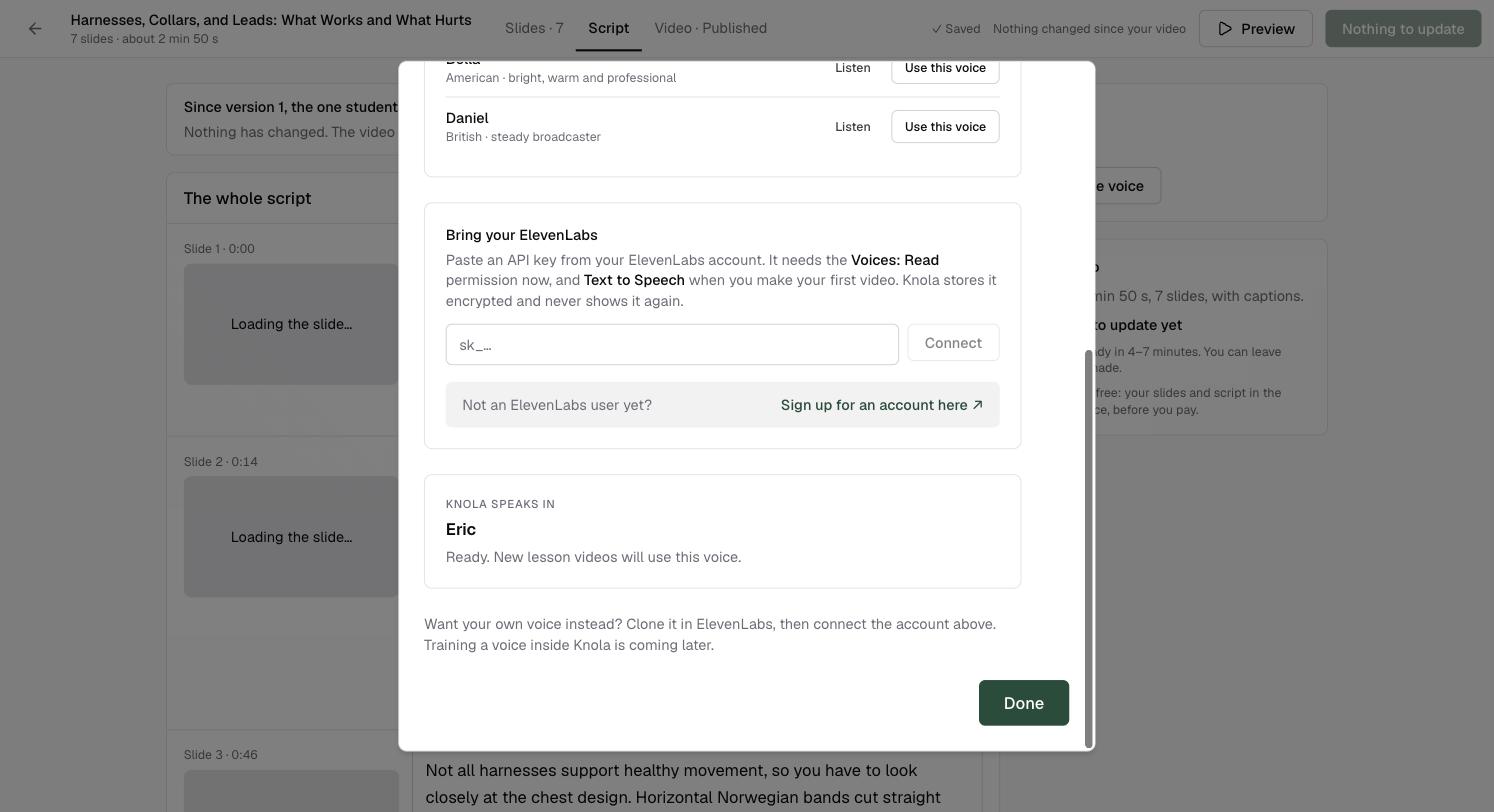
Cloning happens in ElevenLabs, not in Knola. Make the voice there first; as Knola puts it, "Want your own voice instead? Clone it in ElevenLabs, then connect the account above."
No ElevenLabs account yet? Sign up for ElevenLabs here.
Make an API key
In ElevenLabs, create an API key. Give it two permissions: Voices: Read, which Knola needs straight away to list your voices, and Text to Speech, which it needs when you make your first video.
Connect it in Knola
Go to Settings and open the voice area, or click Change voice on any video screen. Under Bring your ElevenLabs, paste the key and click Connect. Knola stores it encrypted and never shows it again.
When it works you see "ElevenLabs connected. Now pick your voice."
Pick your voice
Click Show my voices. Your ElevenLabs voices appear under Your voices, labelled Your clone, Your professional clone or Designed. Choose one and Knola confirms with "Knola now speaks in" and the voice's name.
From then on, new lesson videos use it. Videos already made keep their audio.
Who pays for the narration when I use my own key?
ElevenLabs does, on your ElevenLabs plan. The narration runs on your account rather than Knola's, so check your ElevenLabs character allowance before a big batch of videos.
How do I stop using my ElevenLabs voice?
Disconnect the account in the same voice area. Knola forgets your key and goes back to its own voices. Videos already made keep their audio, and you can reconnect any time.
Why does it say my key needs reconnecting?
ElevenLabs stopped accepting the saved key, usually because it was deleted or its permissions changed. Click Paste a new key, paste a fresh one, and your chosen voice carries over.
Can I train my voice inside Knola?
Not yet. Clone it in ElevenLabs and connect the account. Training a voice inside Knola is coming later.