

Create
Studio: turn your lessons into ebooks, checklists and worksheets
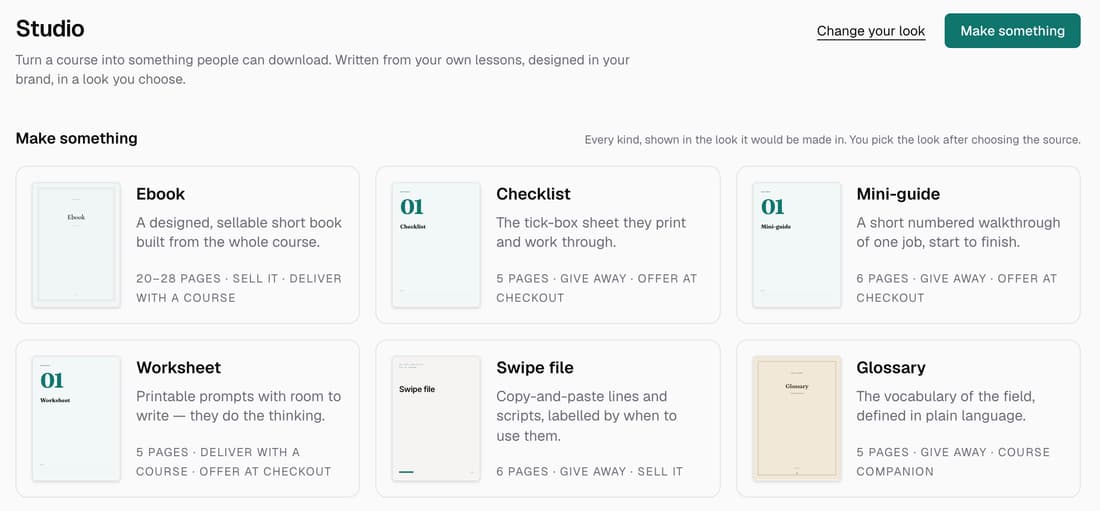
Studio is now on for every school. Pick a course and it writes an ebook, checklist, worksheet, swipe file, glossary or mini-guide from your lessons, designed in your brand in one of eight looks. Add it to a lesson or give it away.
What’s changed
Before, Studio was only open to a few schools. Now every school has it in the sidebar, with all six kinds of document and all eight looks.
Who gets itEvery school
How it works
- Click Studio in the sidebar, then Make something.
- Pick a kind: Ebook, Checklist, Mini-guide, Worksheet, Swipe file or Glossary.
- Choose the course, then under Write it from pick The whole course or one lesson.
- Click Next: pick a look and choose one of the eight looks.
- Click Make it. The button shows the credits it will use.
Good to know
- A checklist, mini-guide, worksheet, swipe file or glossary uses 1 credit. An ebook uses 4.
- For an ebook, Make them adds 3 credits for each picture, and you pay only for the pictures that arrive.
- Knola writes only from lessons with written notes or a transcript, never from the internet.
- You can change the look later and the words stay the same. Selling a document came later, on 5 October.